Google Ads leads not converting to sales? Diagnose the gap
A form submission tells you someone responded. Find where those people stop progressing before you change the campaign that brought them in.
Adgent · Paid-media diagnosis
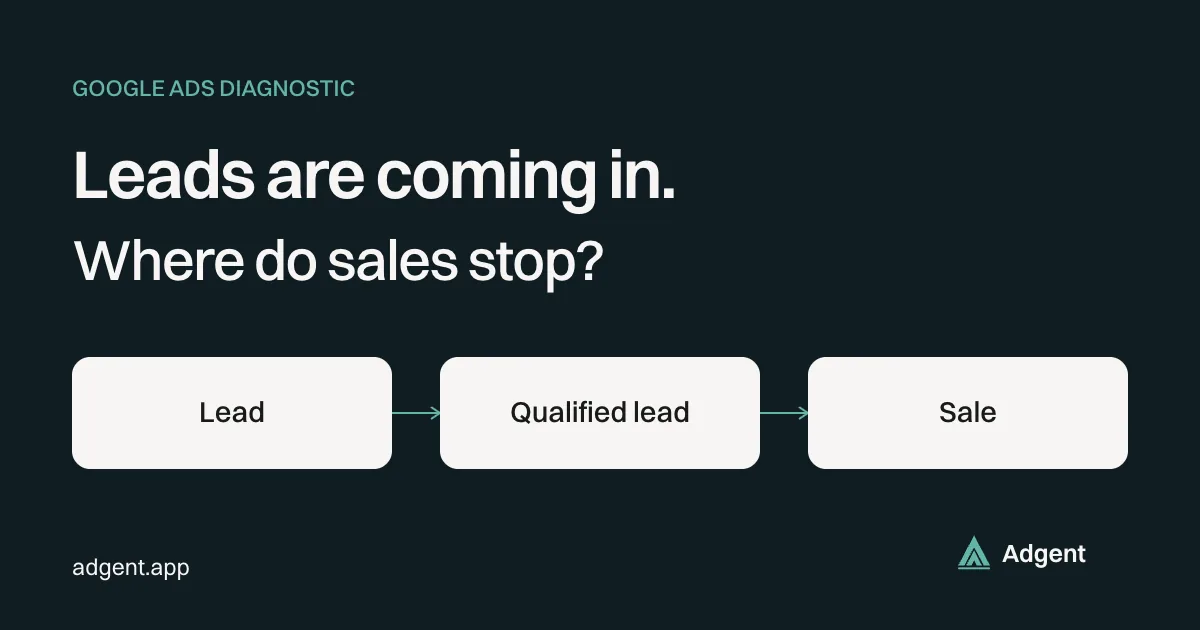
Define a lead, a qualified lead and a closed sale
Write the definitions with the person responsible for sales before comparing campaign results. Use these as a starting point:
- A lead is a recorded enquiry with a usable way to respond. Keep spam and duplicate submissions visible as separate dispositions.
- A qualified lead meets agreed buying criteria, such as service area, relevant need and a feasible project. Record who assessed it and when.
- A closed sale meets your agreed commercial milestone, such as a signed contract or received payment. A booked meeting or sent proposal is a different stage.
A downloaded guide can be a valid response to an ad without being a sales enquiry. Keep that event separate. Otherwise marketing and sales can disagree while both accurately describe their own counts.
Build a cohort by acquisition date
Export leads created during one acquisition period from your CRM. Use one row per unique lead, retaining the original creation date even when its status changes. Add campaign identifiers where available, landing page, offer, first contact attempt, first successful contact, qualification date, current stage, loss reason and close date.
Keep missing source data labelled unknown. Do not distribute unattributed sales across campaigns in proportion to their lead volume.
Summarize that cohort as of a stated review date: unique leads, contacted, qualified, open opportunities, closed won, closed lost and unassessed. Some milestones overlap, so do not add them into a single total. Show counts beside rates and state each denominator. Qualified leads divided by all unique leads answers a different question from qualified leads divided by assessed leads.
Compare cohorts at the same age. Use your own historical time from enquiry to qualification and sale to decide when a cohort is mature enough to judge. This week's leads cannot fairly compete with a cohort that has already had a full sales cycle. Report open opportunities separately; do not silently classify them as lost.
Sales closed this month may belong to leads acquired months earlier. Dividing this month's ad spend by those sales mixes periods. For campaign diagnosis, attach eventual outcomes to their acquisition cohort and retain a separate calendar-period revenue report.
Check contact before calling the leads bad
Read actual records from each status, including uncontacted leads. Look for failed routing, an unowned inbox, unanswered calls, undelivered emails and missing next steps. A lead without a contact attempt has not yet failed a sales conversation.
Separate “invalid contact details,” “attempted, no response” and “never attempted.” Review first-response delay against your team's promised service level and working hours. Set an owner and due date for unresolved leads before drawing a campaign-level conclusion.
Then inspect qualification reasons. “Bad lead” is too vague to act on. Use specific dispositions: outside service area, wrong service, unsuitable project size, no current buying need, duplicate or spam. If qualified prospects consistently reach proposals and then lose, read the proposal and loss notes for delivery, commercial or sales-process problems.
Inspect the query, offer and landing page together
For Search campaigns, review the search terms Google makes available alongside the ad promise and destination page. Google's search terms report documentation explains that low-activity queries can be omitted for privacy. Treat the report as partial evidence, not a complete list of every search.
Look for mismatches: people seeking employment reaching a service enquiry form, consumers responding to a business-only offer, or researchers taking up a free resource that sales treats as a buying request. Add exclusions where intent is clearly irrelevant; inspect the landing page before excluding a commercially relevant query.
Does the page state who the service is for, where it is available and what happens after submission? Ask only qualification questions that change routing or acceptance. More fields can create friction without resolving the mismatch. Judge a revision by qualified outcomes and eventual sales at comparable cohort ages, alongside submission volume.
Check what Google Ads is counting and bidding toward
In Google Ads, open Goals, then Conversions and Summary. Inventory each action's actual trigger, source, counting setting and business meaning. Segment campaign reporting by conversion action to see whether the apparent lead total includes page visits, button clicks, duplicate events or the same submission measured by two implementations.
Inspect campaign goal settings as well as each action's primary or secondary setting. Under standard goals, a primary action is eligible for bidding when the campaign uses its associated goal. Secondary actions are normally observation-only in “All conversions.” A secondary action included in a custom goal is used for bidding when that campaign selects the custom goal. Google documents both the rule and exception in About conversion goals.
A cheap form completion does not tell a bidding system which enquiry sales later rejected. Choose a dependable outcome that represents the business objective and arrives with useful frequency and timeliness. Do not promote every funnel stage to primary simply because it is measurable. Google recommends one account-default goal when multiple standard goals track stages of the same funnel.
Before changing goals, verify the event against real records and document the switch date. Use the conversion signal check to review recent event volume, then the Google Ads account audit for tracking and wider campaign checks.
Return qualified and closed outcomes to Google Ads
Offline conversion imports connect later business events, such as qualification or a sale, to advertising interactions. Enhanced conversions for leads supplements that measurement with first-party customer data, such as an email address, matched using hashed data. Google describes how website data and imported outcomes support that match in its enhanced conversions for leads guide.
Start with a consistently maintained CRM stage. Map its event name and actual event time to the appropriate Google Ads conversion action. Preserve available click identifiers, apply the required customer-data handling and consent rules, and follow Google's current instructions for your import method. Hashing does not remove those obligations.
Use Google's diagnostics to inspect import errors and matching problems. Compare accepted events with eligible CRM records, check duplicates, and verify timestamps and values before using the action for bidding. A successful upload does not mean every record matched an ad interaction. Keep missing outcomes visible in your reporting.
This feedback gives the platform a more relevant measurement signal. It cannot guarantee better leads, repair an unsuitable offer or make sales follow up. When changing the bidding outcome, allow for conversion delay and evaluate a mature cohort before declaring success.
Choose the next action from the failure point
- If reported conversions exceed genuine enquiries, fix event definitions and duplicates.
- If enquiries sit untouched, fix ownership and follow-up before judging their quality.
- If contacted leads repeatedly fail the same criterion, inspect the corresponding intent, ad promise and page qualification.
- If qualified opportunities remain open, review stage progress and sales-cycle age.
- If mature qualified opportunities lose, investigate the recorded commercial reasons with sales.
Give the chosen change an owner, implementation date and next review date. There is no universal CPL or win-rate target: acceptable acquisition cost depends on your economics, while observed win rate depends on the cohort and denominator. Carry the same definitions into your weekly PPC report so next week's discussion starts with comparable evidence.
Frequently asked
Should I pause a campaign that has leads but no sales?
Should I optimize for qualified leads or closed sales?
Why do Google Ads and CRM lead totals disagree?
Will enhanced conversions for leads fix poor lead quality?
Bring one lead-generation account question to an Adgent demo. Review the conversion setup and campaign evidence, then agree what the next investigation needs from sales.
Request a demo